Federal regulations require students receiving Title IV financial aid to maintain Satisfactory Academic Progress (SAP), even if aid isn't awarded each term. If you're on SAP suspension, you may appeal if extenuating circumstances affected your academic performance.
Deadlines
- The deadline to submit your SAP appeal is by the end of the current term.
To Submit Your SAP Appeal
- Log into MyPath.
- Click Student Service tile.
- Select Tasks.
- On your To Do List, click on SAP Appeal OnBase.
- In the Task Details pop-up, click the link to open OnBase.
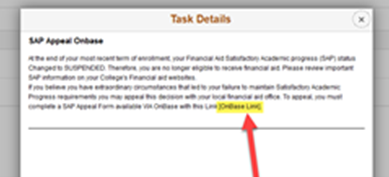
- Log in with your username and password to complete the appeal.
- Page 1: Confirm your info. Select your term and Home College.
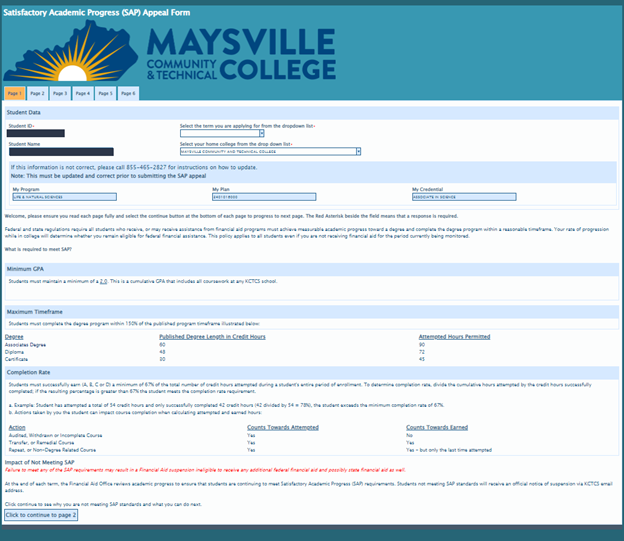
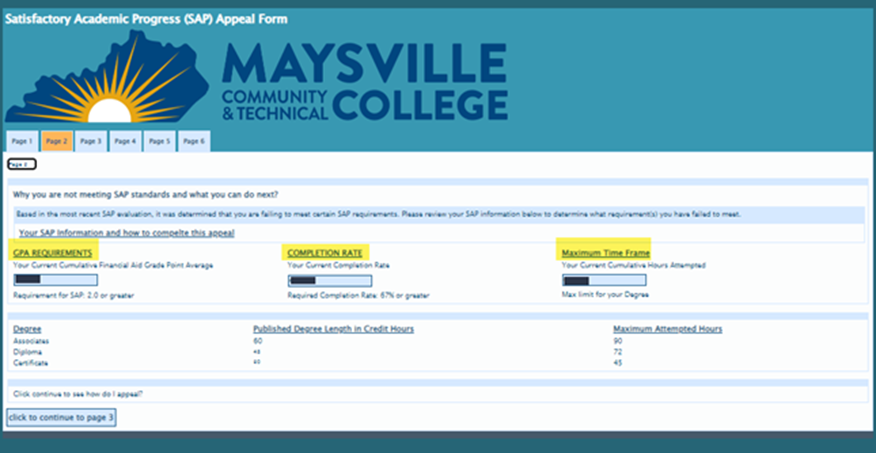
- Page 2: Review your SAP details and minimum requirements. Print for your records if needed.
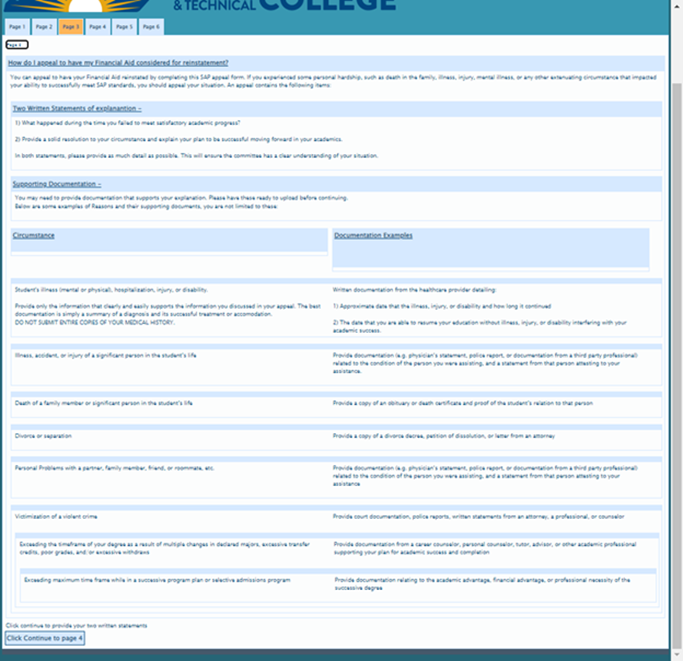
- Page 3: Read appeal process and requirements.
- Pages 4-5: Answer:
- What happened when you didn’t meet SAP?
- How will you resolve this and succeed academically?
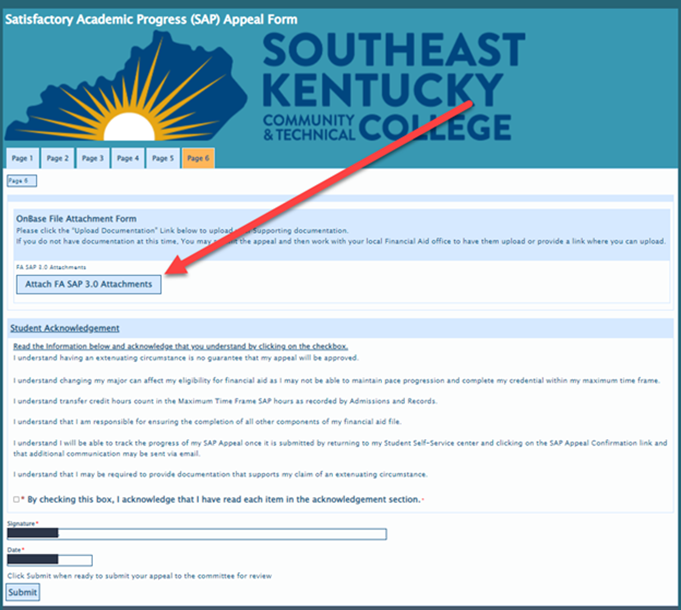
- Page 6: Upload supporting documents.
- Important: Do not upload .heic or .zip files. Convert .heic files to .pdf
- Acknowledge the statement, verify signature, and click Submit.
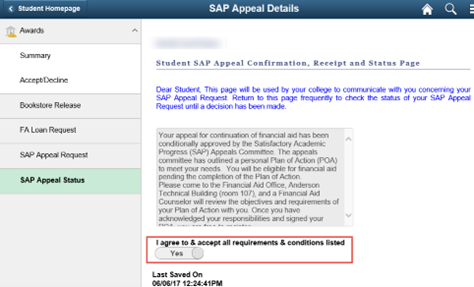
- After submission, review the confirmation and agree to terms.
After Submission
- Your appeal will be reviewed by the SAP committee, which meets within a week after submission.
- Decisions are typically provided within 10 business days after submission.
- You’ll receive notification by student email.
To View the Details of Your SAP Appeal Status
- Log into MyPath
- Select Student Self-Service tile.
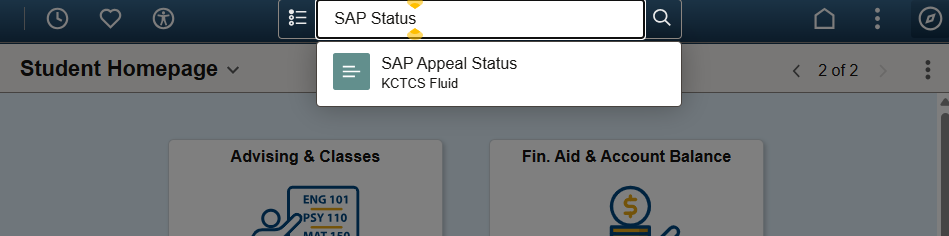
- Use the Search Bar at the top and type SAP Status. Hit enter or click the Magnifying Glass.
If Approved
- You’ll be placed on SAP Probation.
- Your PLOA must be returned 7 days from receipt of pending approval
If Denied
- You won’t be eligible for federal student aid.
- You can still attend college but must pay for your courses until you meet SAP standards.
- Appeal decisions are final and can’t be overturned.
- If you can’t pay tuition, speak with an academic advisor before dropping or withdrawing.
Additional Information
- Transferring from another KCTCS College? We will not be able to accept an approval from another college. You must submit a new appeal.
- Award Processing: Approved appeals are processed within 10 business days of approval upon receipt and review of PLOA.
- Previously Approved Appeals: Student must notify financial aid when they enroll. If the student is aid eligible, previously approved appeals will be processed when there is no program/plan change.
(Financial Aid > SAP)