Body
Requesting Proof of Enrollment
Overview
You can request an enrollment verification certificate through the National Student Clearinghouse, which is accessible via your Student Center in MyPath.
Steps to Request Proof of Enrollment
- Log in to your MyPath account.
- Select Student Self-Service.
- Click on the Resources tile.
- Choose the National Student Clearinghouse link from the list.
- Select your Home College from the dropdown menu.
- A link will appear—click this link to proceed.
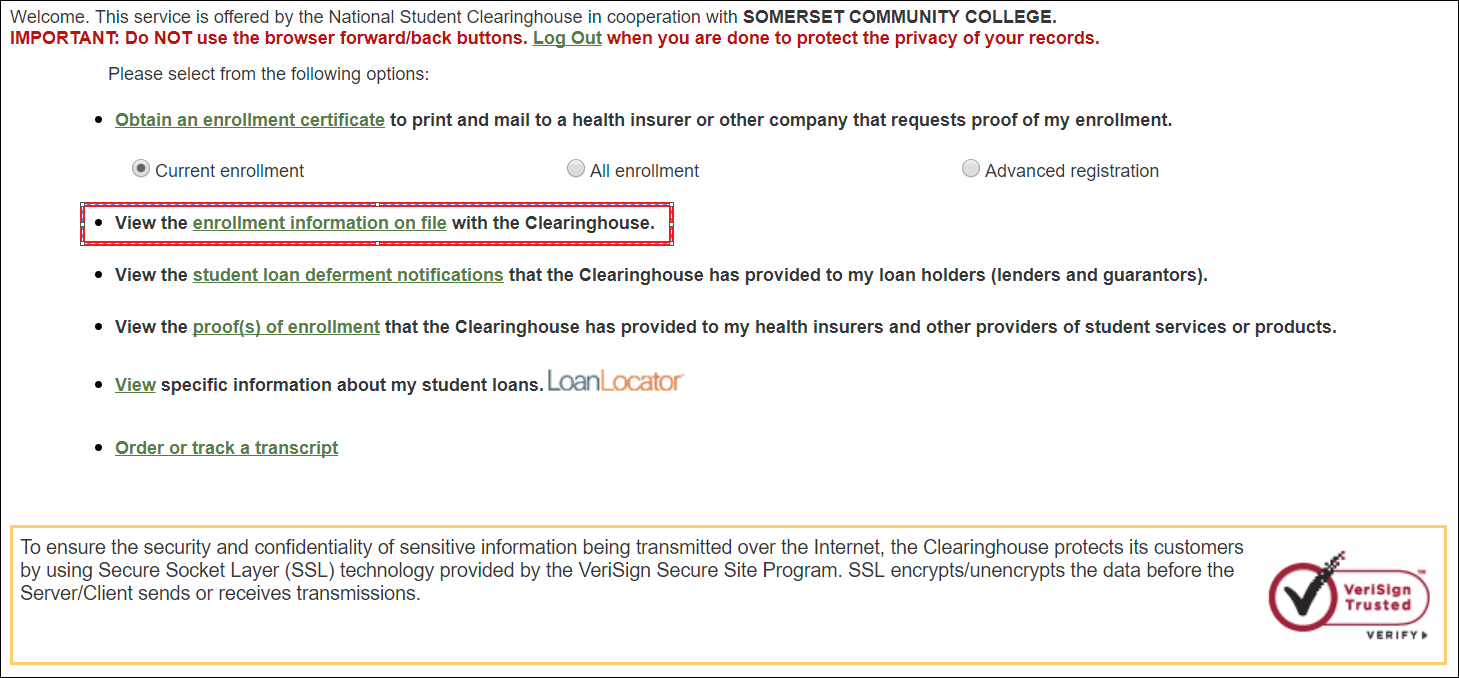
Viewing Your Enrollment Information
- Select the View the enrollment information on file with the Clearinghouse link.
- You will see academic records for the past two years.
To view older records:
- Scroll to the bottom of the page.
- Select the All History button.
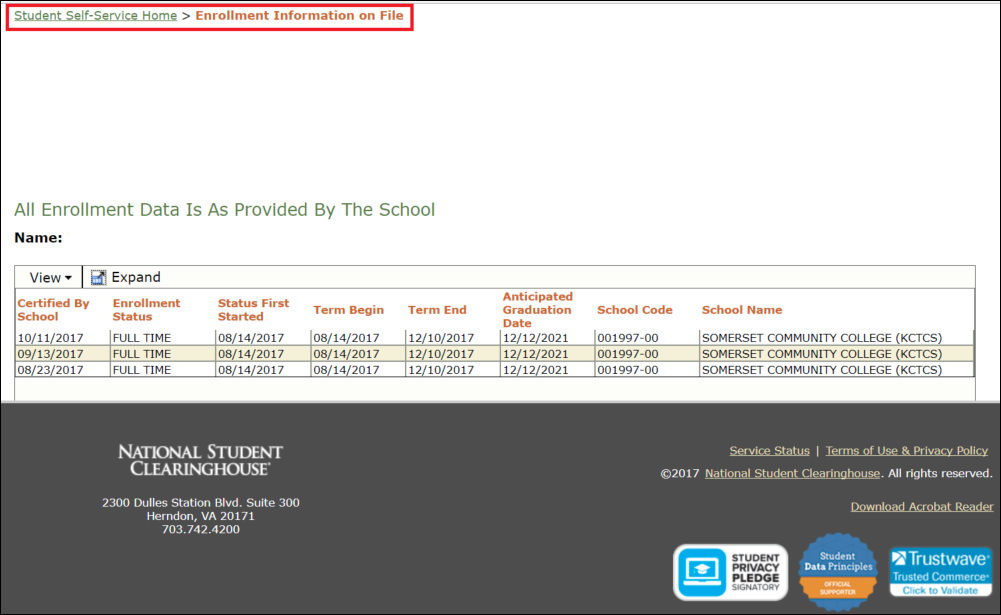
When finished:
- Click the Student Self-Service Home link.
Printing Your Enrollment Certificate
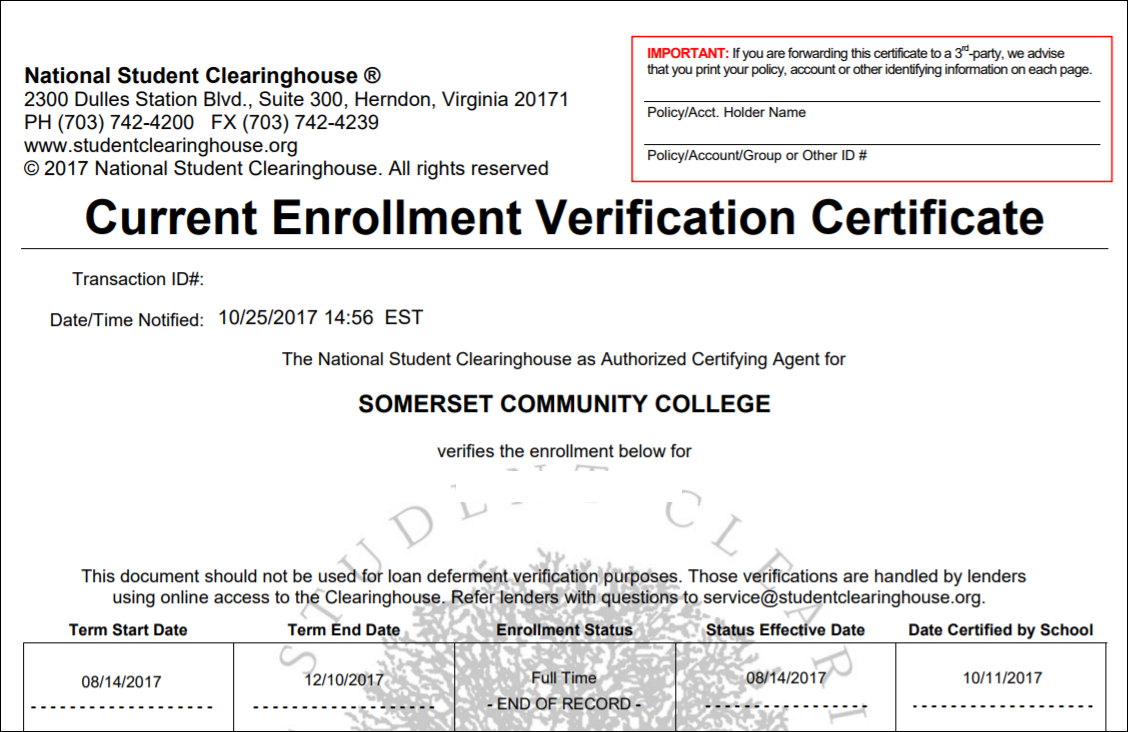
You may print an enrollment verification certificate to use as proof of enrollment.
-
Select one of the following options:
- Current Enrollment
- All Enrollment
- Advanced Registration
-
Click the Obtain an enrollment certificate link.
- The certificate will download as a PDF.
-
Review the document.
-
Select the Print button when ready.
-
Close the window by selecting the (X) button.
Your enrollment verification certificate will then print.
Need Assistance?
If you experience issues retrieving your enrollment verification:
(Records and Registration > Records)